
For learners
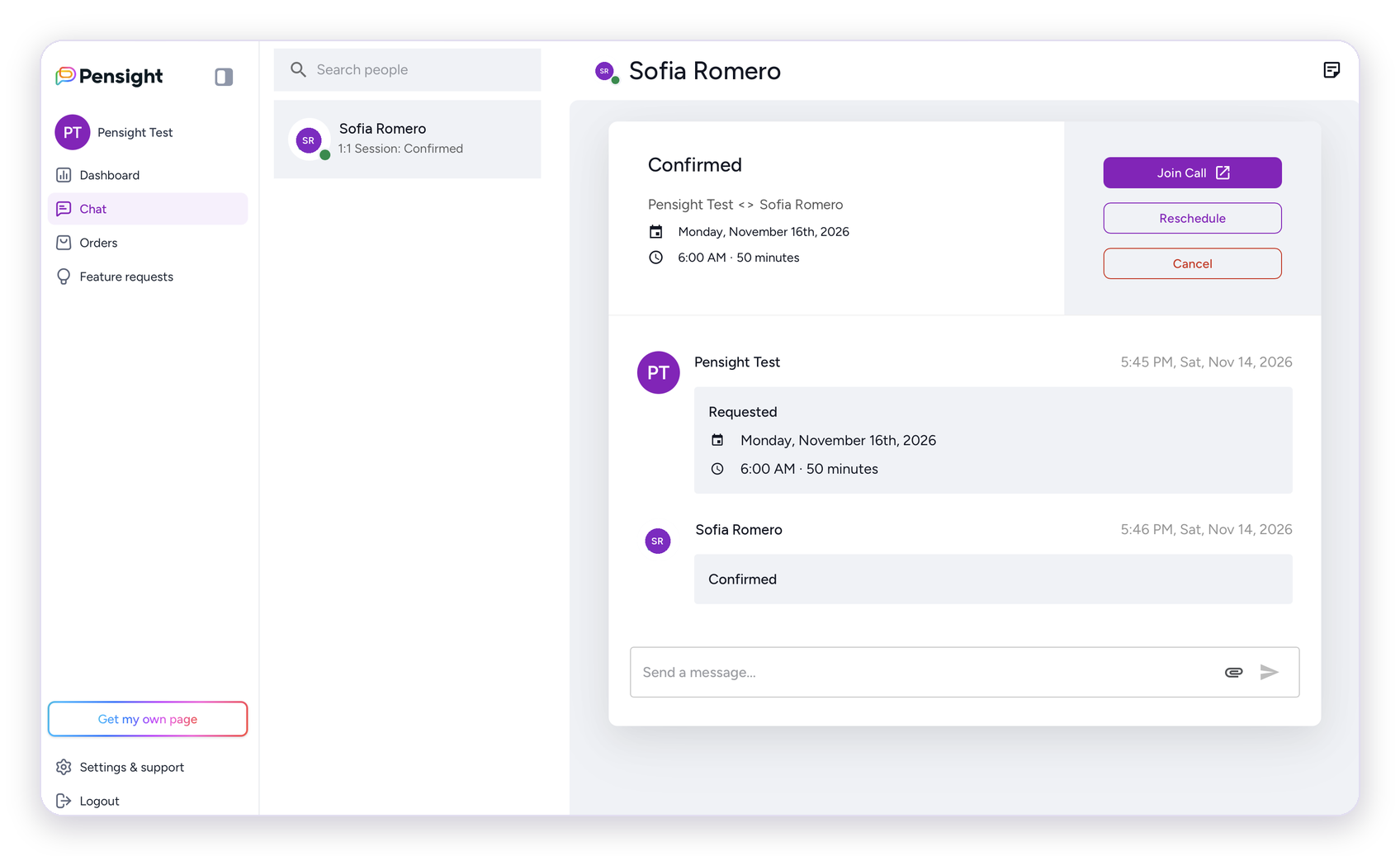
Book lessons, join them in your browser, chat with your tutor, and keep your recordings and transcripts in one place. Lesson reminders and everything your tutor shares are saved in your chat, so nothing gets lost.
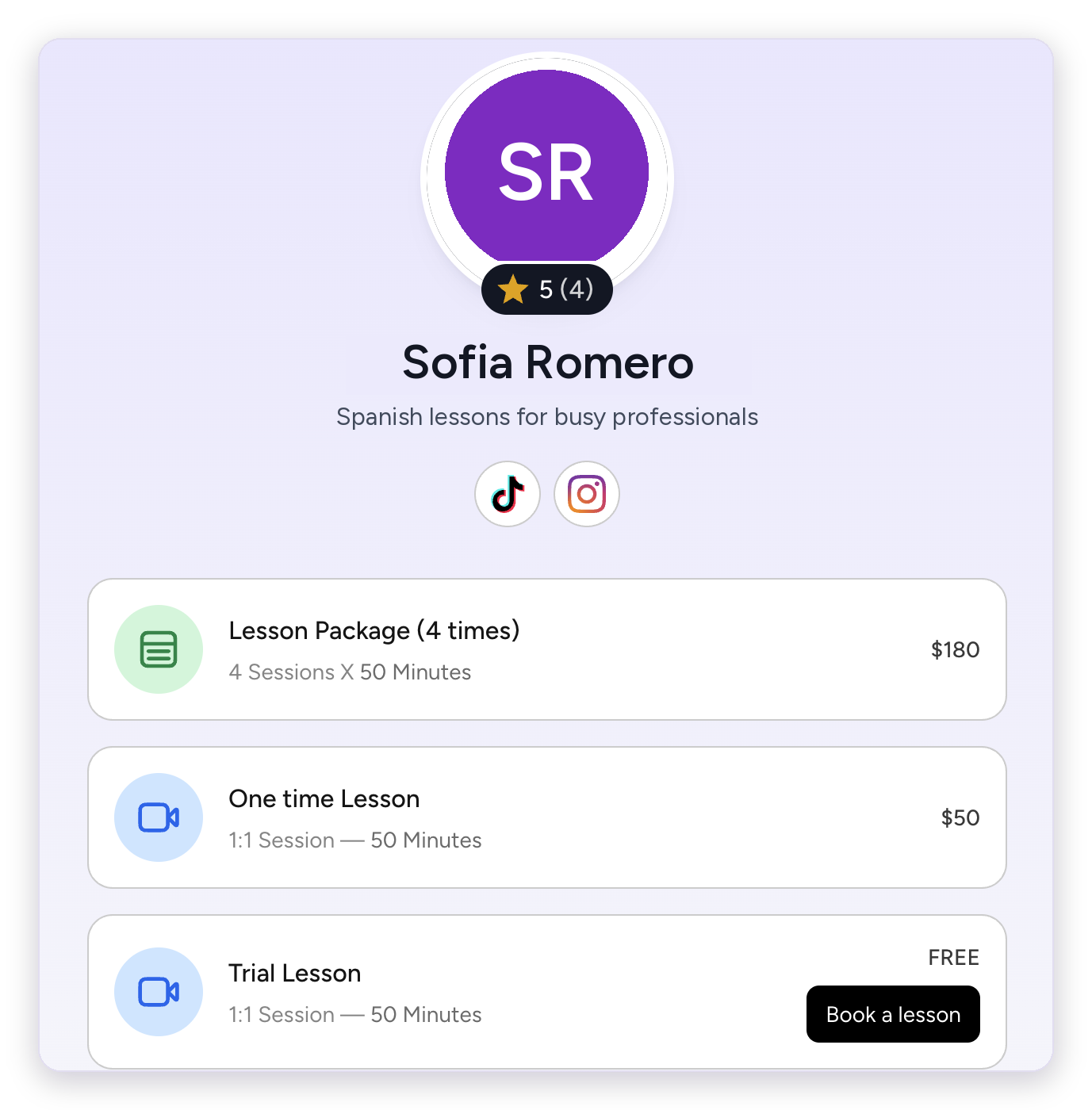
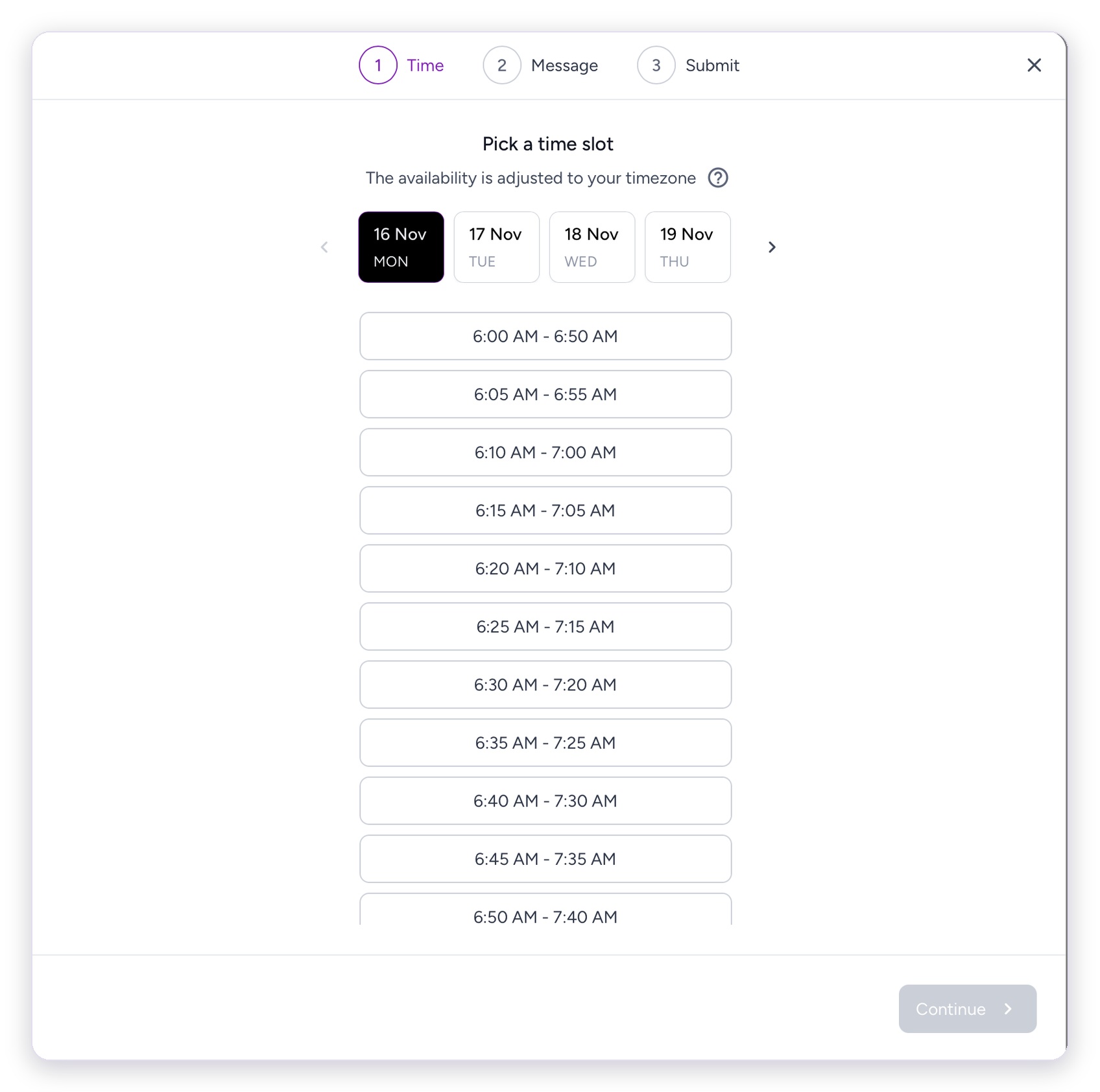
Pick a time on your tutor's page.
Click the link. The lesson opens in your browser.
Recordings and transcripts stay in your chat.
Packages, courses and materials from the same tutor.
Booking and payment
Open your tutor's link, choose a lesson and pick a time. Times are shown in your own time zone.
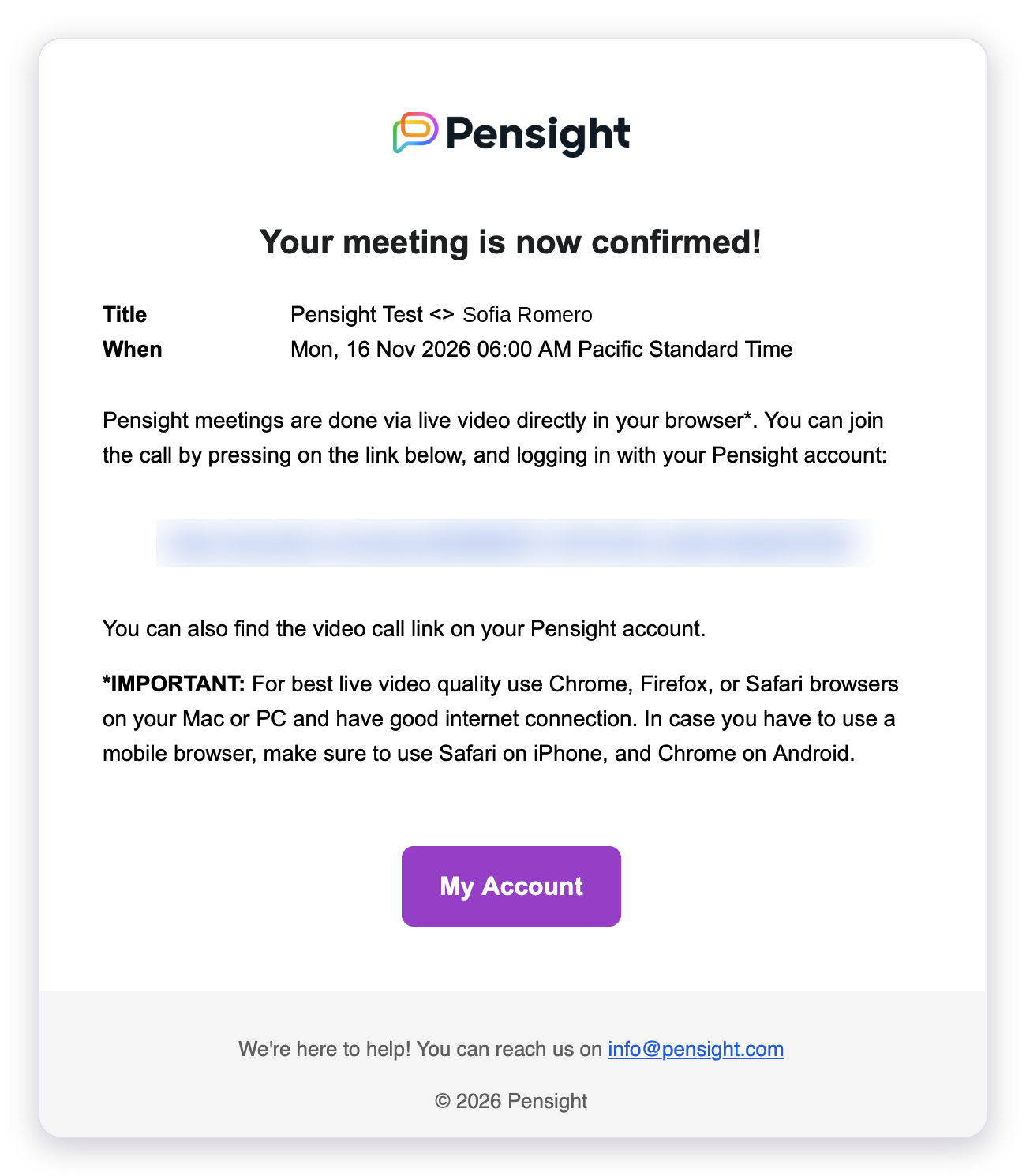
Send your request. When your tutor confirms it, you get a confirmation email and a calendar invite with the lesson link. You can also add your phone number for an SMS reminder.
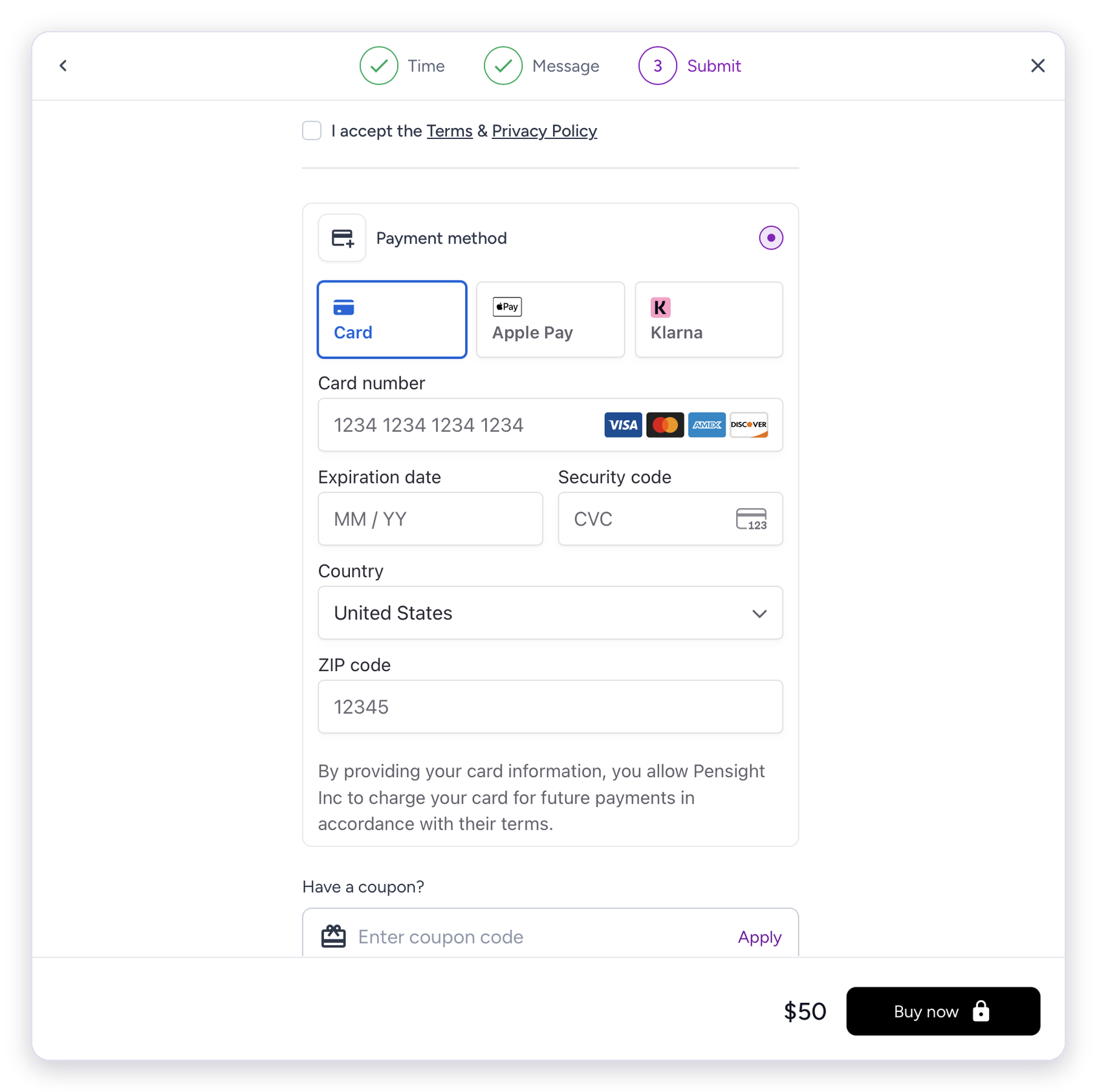
Pay by card, Apple Pay or Klarna, processed by Stripe. Your card is authorised when you book and charged after the lesson. For a lesson package, the full package is charged after your first lesson.
Your Pensight account is created with your name and email when you book.
Joining a lesson
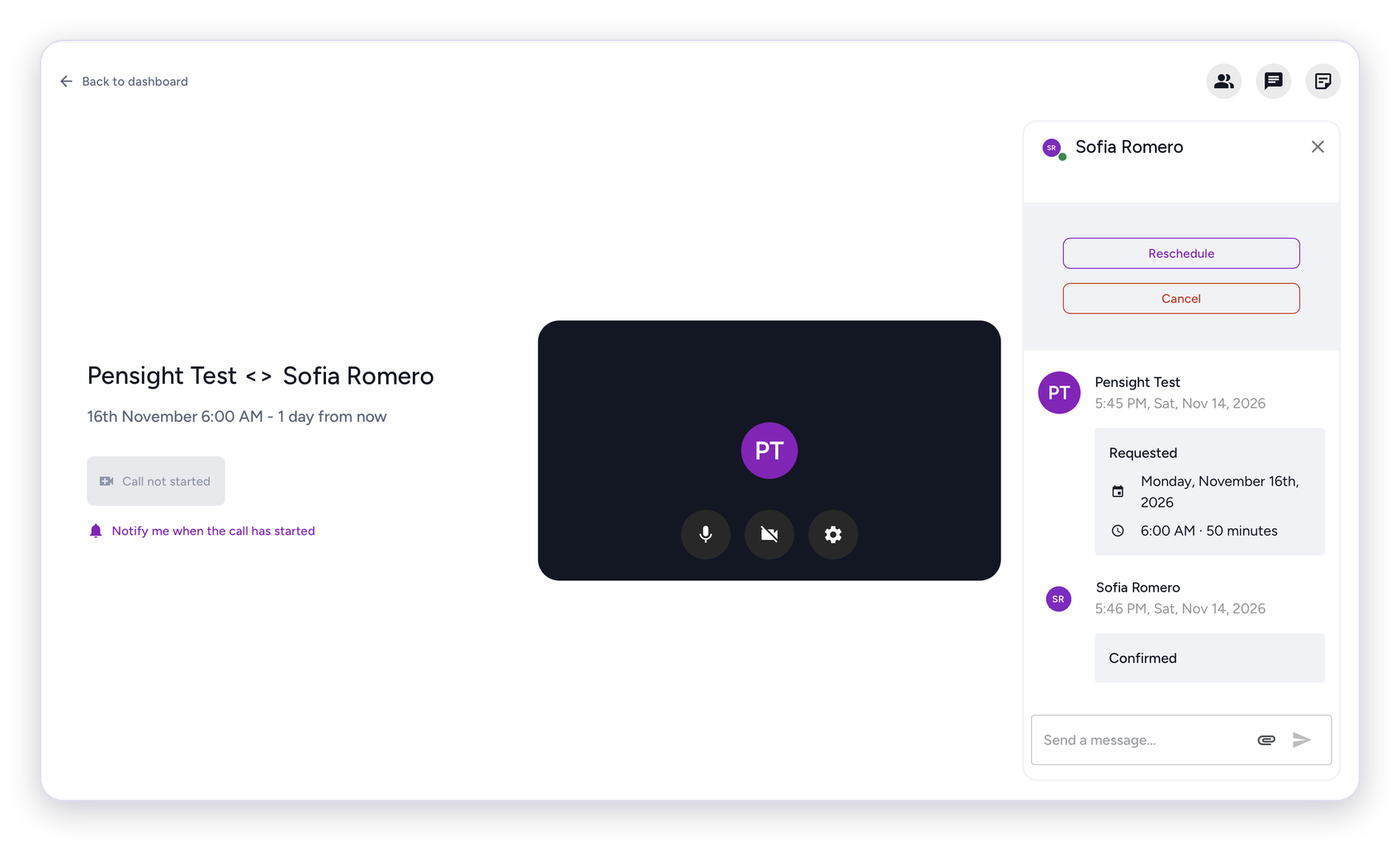
Lessons run in your browser on a computer or phone. Your lesson link is in your confirmation email, your calendar invite, your chat and your dashboard.
On a computer, use Chrome, Firefox or Safari. On a phone, use Safari on iPhone or Chrome on Android.
Open the link early and check your microphone and camera. You can ask to be notified as soon as your tutor starts the call.
Message your tutor and share links or files in the chat beside the video.
After the lesson
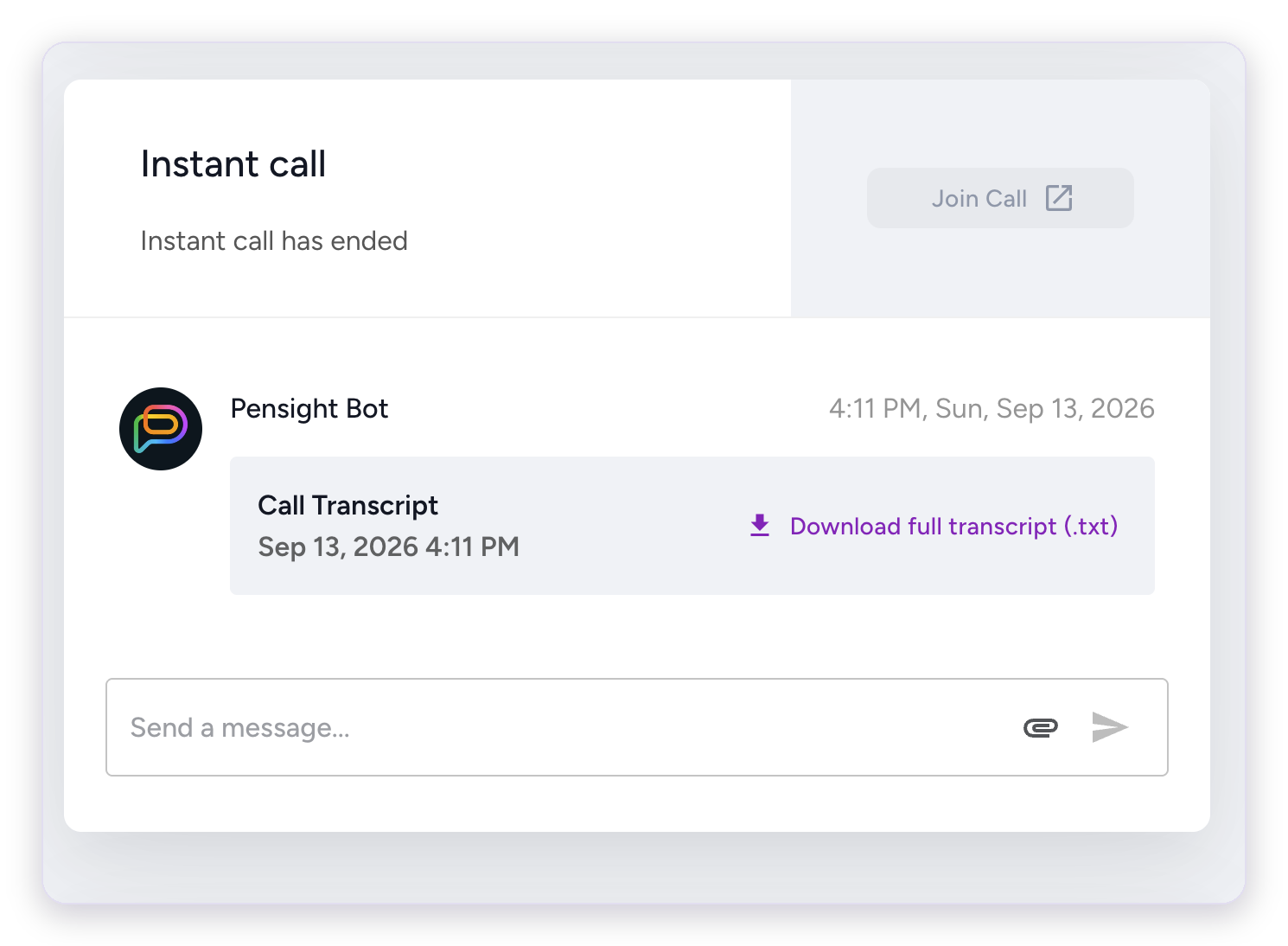
If your tutor records the lesson, the recording and its transcript are shared in your chat. You can watch it again, read back what you said, and download the transcript.
Not sure your lessons are being recorded? Just ask your tutor to share them with you.
Some tutors also send a short summary after the lesson, with what you covered and what to practise next.
Keep learning
Many tutors also offer lesson packages, recorded courses, materials and memberships on their page.
Everything you buy from your tutor stays in one place. With a lesson package, you can see how many lessons you have left on your dashboard and in your chat.
Your account
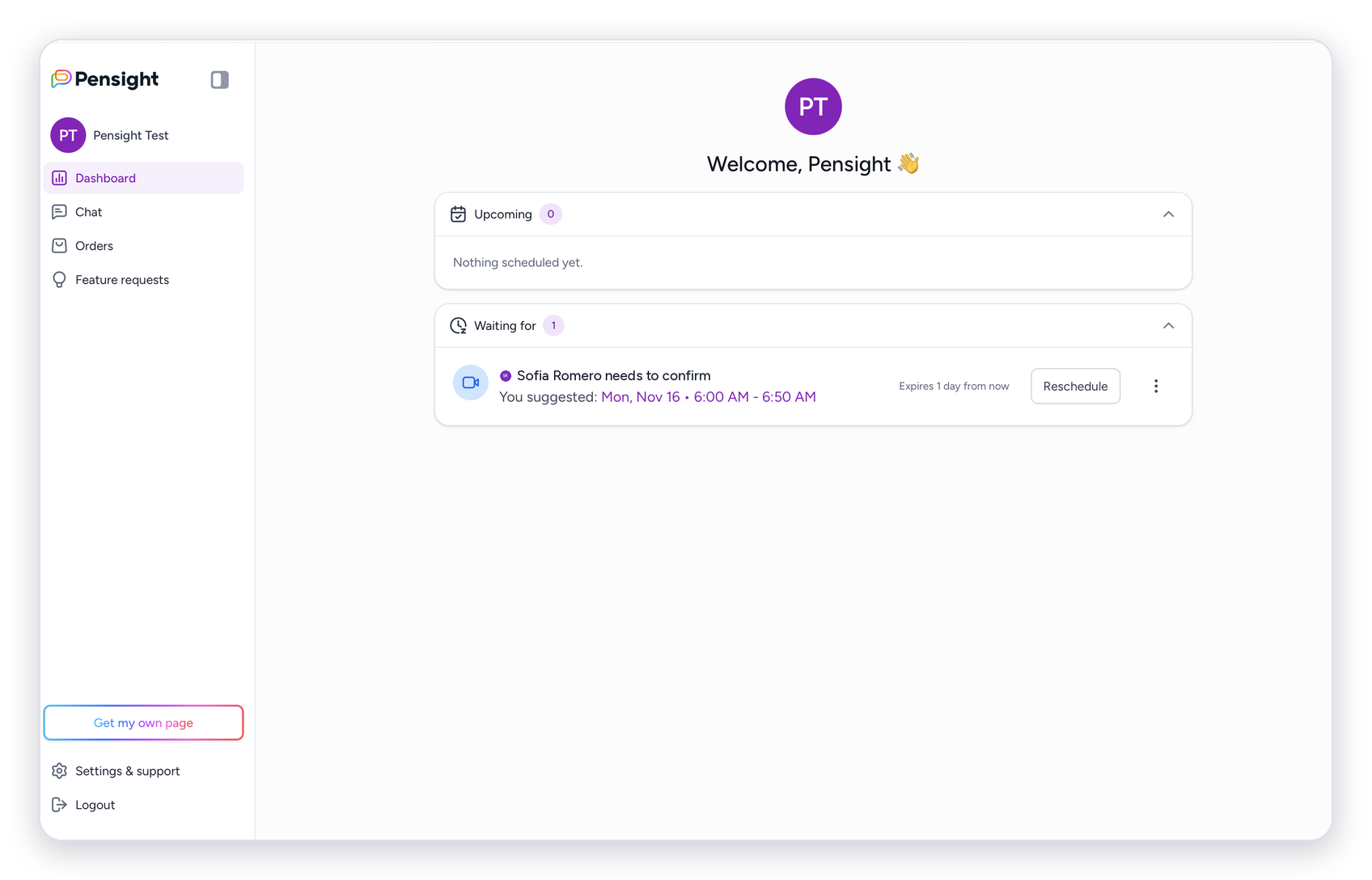
See your upcoming lessons, requests waiting for your tutor, and everything you've bought.
Your bookings, messages, files, recordings and transcripts are kept together. You can reschedule or cancel a lesson from here too.
FAQ
No. Lessons run in your browser on a computer or phone.
Use the Reschedule or Cancel button in your chat or on your dashboard. Your tutor sets their own rules for how late a lesson can be changed, so check with them if you're not sure.
If your tutor cancels the lesson, you're refunded. You're only charged for lessons that take place.
Ask your tutor first. If you can't reach them, contact Pensight support.
Major credit and debit cards (Visa, Mastercard, American Express, Discover), Apple Pay and Klarna.
Only you and your tutor.
Payments are processed by Stripe. Your tutor never sees your card details.
Check your confirmation email, or log in to Pensight with the email you booked with. Your lessons are on your dashboard.
Still stuck? Message your tutor in your Pensight chat. If you can't reach them, email Pensight support at help@pensight.com.
Are you a language tutor? See how Pensight works for tutors


