

Call transcripts and AI summaries in Pensight

Stop taking notes. Start being present.
Introducing call transcripts and AI summaries in Pensight.
You know the feeling. You're mid-session with a client, they say something that matters — a goal, an objection, a commitment — and part of your brain peels off to write it down. For a few seconds you're not really listening anymore. You're a stenographer.
The best coaches are fully present. But being fully present and remembering everything afterward have always been at odds. You either stay in the conversation and lose the details, or capture the details and lose the moment.
We built call transcripts to end that trade-off.
What it does
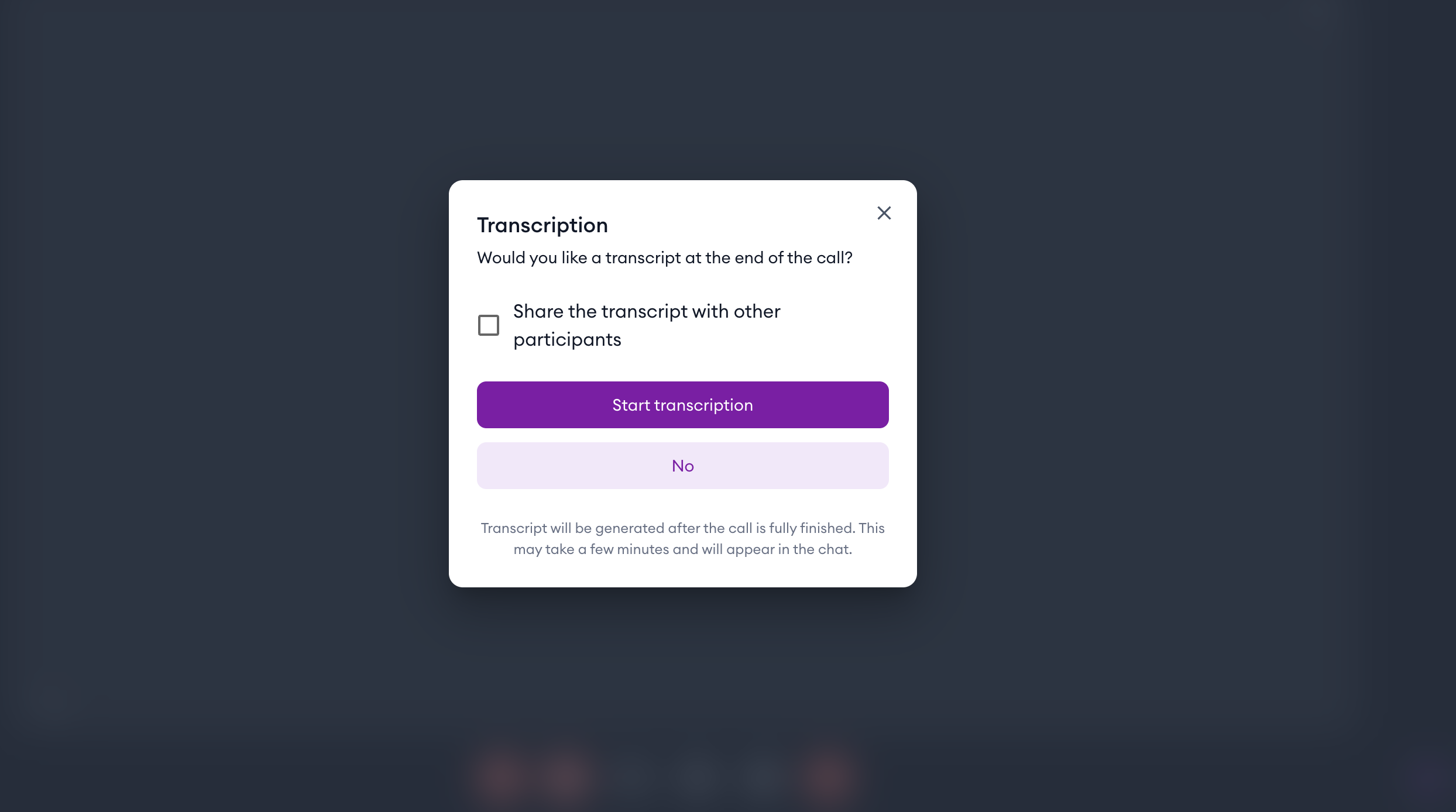
When you start a call in Pensight, you'll see a simple prompt: turn on transcription? One tap, and Pensight quietly captures the whole conversation as it happens — every speaker, every line, with timestamps. You don't touch anything else. You just talk to your client.
When the call ends, two things land right inside the call's chat thread:
The full transcript, organized by who said what, in your timezone. And an AI-written summary that pulls the conversation into three parts you can scan in seconds — a short Summary, the Key Decisions you reached, and the Action Items to follow up on. Both download as plain text files, so they're yours to keep, paste into your CRM, or send along.
No recording to re-watch. No half-legible notes to decipher at 11pm. The work of remembering is done before you close your laptop.
You decide who sees it
Some conversations are just for you. Others are better shared.
When you turn transcription on, you choose. Keep the transcript private to you, or share it with everyone on the call so your client walks away with the same summary and action items you do. It's a small thing that does a lot — clients love leaving a session with a clear written recap of what they committed to.
And if transcripts become part of how you work, you can set them to turn on automatically for every future call, so you never have to think about it again.
Why it matters for your business
A transcript is more than a record. It's the raw material of a better practice.
Read back through a few and patterns start to surface. The questions that consistently move a client forward. The objections that come up again and again — and how you handled the ones that landed. The moment in a discovery call where someone decided to work with you. These are the details that usually evaporate the second a call ends. Now they're searchable.
Action items, written down and shared, also have a quiet way of getting done. When both you and your client can see exactly what was agreed, follow-through stops depending on memory.
Getting started
Call transcripts are available on the Pro plan. If you're on Pro, it's already waiting for you — there's nothing to install and no waitlist. Just start your next call and say yes when Pensight asks.
One note worth knowing: the Pro plan covers creating transcripts. Once you share one, anyone on the call can read and download it, whatever plan they're on. So your clients always get the recap, free of charge.
Be in the conversation. Let Pensight handle the rest.
→ Turn on transcripts for your next call


